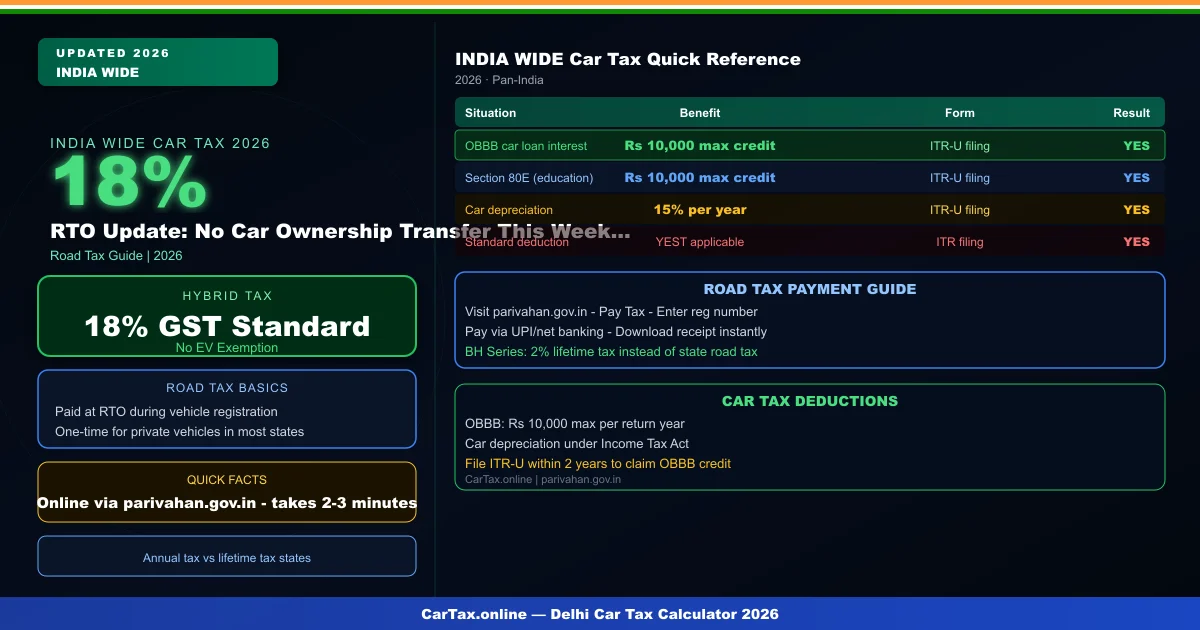
As of April 11, 2026 in India, the Ministry of Road Transport and Highways (MoRTH) has issued an urgent reminder about the Zero Dues clearance requirement that is now mandatory for any car ownership transfer, NOC application, or RC transfer at RTOs across the country. With April 11–12 being a weekend — traditionally a busy time for used car sales — the new rule is catching many car sellers off guard. If you are planning to sell your car or apply for an NOC this weekend, you must have a Zero Toll Receipt, cleared FASTag, and no pending traffic challans before the Parivahan portal will process your request. Here is the complete step-by-step guide.
\n\n
What Is the Zero Toll Receipt Rule?
\n\nThe Zero Dues Rule for vehicle transfers was introduced by MoRTH in March 2026 as part of the digital integration of the Parivahan Sewa portal with the IHMCL (Indian Highways Management Company Limited) FASTag database and the national e-challan system. Under this rule, no RC transfer, NOC, ownership change, or vehicle deregistration will be processed unless the Parivahan portal returns a zero outstanding dues status for the vehicle in question.
\n\nOutstanding dues includes:
\n- \n
- Pending FASTag toll balances (including failed auto-recharge deductions that went into negative balance) \n
- Unpaid traffic challans issued by any state traffic police, red light camera, or speed camera \n
- Highway toll disputes that have been formally flagged in the IHMCL system \n
Who Does This Affect?
\n\nThis rule applies to anyone who plans to: Related: RTO Zero Dues Alert | ₹1.5 Lakh GST Savings | 18% GST Small Cars 2026 | Hybrid Car GST India 2026.
\n- \n
- Sell a used car (inter-state or intra-state) \n
- Apply for an NOC to move a vehicle to another state \n
- Transfer ownership (Form 29/30) after purchasing a used car \n
- Deregister a vehicle before scrapping or exporting it \n
- Remove hypothecation after repaying a car loan \n
How to Check If Your Car Has Outstanding Dues
\n\n1. Check FASTag Dues on IHMCL Portal
\nVisit ihmcl.com and log in with your vehicle registration number and registered mobile number. The dashboard will show:
\n- \n
- FASTag status (Active / Blacklisted / Expired) \n
- Current balance (negative balance means pending dues) \n
- Outstanding transaction history \n
If your FASTag is blacklisted, you must clear all outstanding toll dues plus a ₹100 reactivation fee before proceeding.
\n\n2. Check Pending Challans on Parivahan
\nVisit echallan.parivahan.gov.in and enter your vehicle registration number. The portal will display any unpaid challans from any state — including those issued by ANPR cameras, speed cameras, and manual traffic police challans. Pay immediately using the online payment option on the portal.
\n\nRTO Car Transfer Checklist — April 11–12 Weekend (2026)
\n| Document/Check | \nRequired For | \nPortal | \nTime to Clear | \nStatus | \n
|---|---|---|---|---|
| FASTag Zero Balance | Sale + NOC + RC Transfer | ihmcl.com / MyFASTag App | 1–3 days sync | MANDATORY ✓ |
| No Pending Challans | RC Transfer | echallan.parivahan.gov.in | 2–5 days update | MANDATORY |
| Form 28 (NOC) | Inter-State Sale | RTO Office | 15–30 days | REQUIRED ⚠ |
| Valid Insurance | RC Transfer | Check Expiry Date | Immediate | REQUIRED |
| RC Book (Original) | Sale + Transfer | Physical Document | N/A | REQUIRED |
Step-by-Step: How to Clear Your Dues and Transfer Your Car
\n\nIf you discover outstanding dues this weekend, here is how to clear them as quickly as possible:
\n\nStep 1: Pay FASTag Dues
\nOpen your bank's FASTag app (HDFC, ICICI, SBI, Paytm, PhonePe) or visit ihmcl.com. Pay the outstanding balance by credit/debit card or UPI. If your FASTag is blacklisted, you must call 1033 (IHMCL helpline) to request reactivation after payment.
\n\nStep 2: Pay All Pending Challans
\nGo to echallan.parivahan.gov.in, enter your registration number, and pay all displayed challans via net banking or UPI. Keep the payment receipt as proof. The system typically updates within 2–5 business days.
\n\nStep 3: Wait for Database Sync
\nAfter paying, wait 48–72 hours for the IHMCL and Parivahan databases to sync. Attempting the transfer before sync will result in the portal still showing outstanding dues.
\n\nStep 4: Apply for RC Transfer
\nOnce the portal shows zero dues, visit the RTO or apply online at parivahan.gov.in. For inter-state transfers, apply for Form 28 NOC first — this typically takes 15–30 days even after clearance.
\n\nBH Series Owners: No NOC Needed
\n\nIf your vehicle is registered under the Bharat Series (BH), you are exempt from the NOC requirement entirely — even under the new rule. BH vehicles can be transferred to any state without a Zero Dues NOC from the original RTO, making the process significantly simpler.
\n\nWhat Happens If You Sell Without Clearance?
\n\nIf you sell a car without clearing outstanding FASTag dues or challans, the buyer's RTO transfer will be blocked. The car remains legally in your name until the transfer is complete. Any traffic violations or toll dues incurred by the new owner will be traced back to the original registered owner. You may also face legal liability for violations that occurred during your ownership period.
\n\nFor the official Parivahan portal and RTO services, visit parivahan.gov.in. For FASTag status and payment, visit ihmcl.com. Use our India Car Tax Calculator to estimate road tax costs when buying your next car after selling your current vehicle.
\n\nFrequently Asked Questions
\n\nCan I sell my car if my FASTag has a ₹5 pending balance?
\nNo — any outstanding balance, including ₹5, will block the transfer on the Parivahan portal. You must clear the balance to zero before applying for the transfer. Even small pending balances from failed auto-recharge transactions can accumulate over months.
\nHow do I reactivate a blacklisted FASTag?
\nCall the IHMCL helpline at 1033 or visit your nearest bank branch that issued the FASTag. Clear the outstanding toll balance, pay the ₹100 reactivation fee, and the FASTag will be reactivated within 24 hours. The IHMCL database sync with Parivahan takes an additional 24–48 hours.
\nDo challans from other states also block the transfer?
\nYes — the national e-challan system is integrated across all states. Any unpaid challan from any state — including states other than your vehicle's registered state — will block the transfer. The ANPR cameras and e-challan portal are linked nationally.
\nWhat documents does the buyer need for RC transfer?
\nThe buyer will need: Form 29 (Notice of transfer), Form 30 (Application for transfer), original RC book, insurance certificate, your ID proof, their address proof, and the Zero Dues clearance confirmation from the Parivahan portal (now mandatory).
Official Resources: Parivahan Portal | Vahan Road Tax | India GST Portal