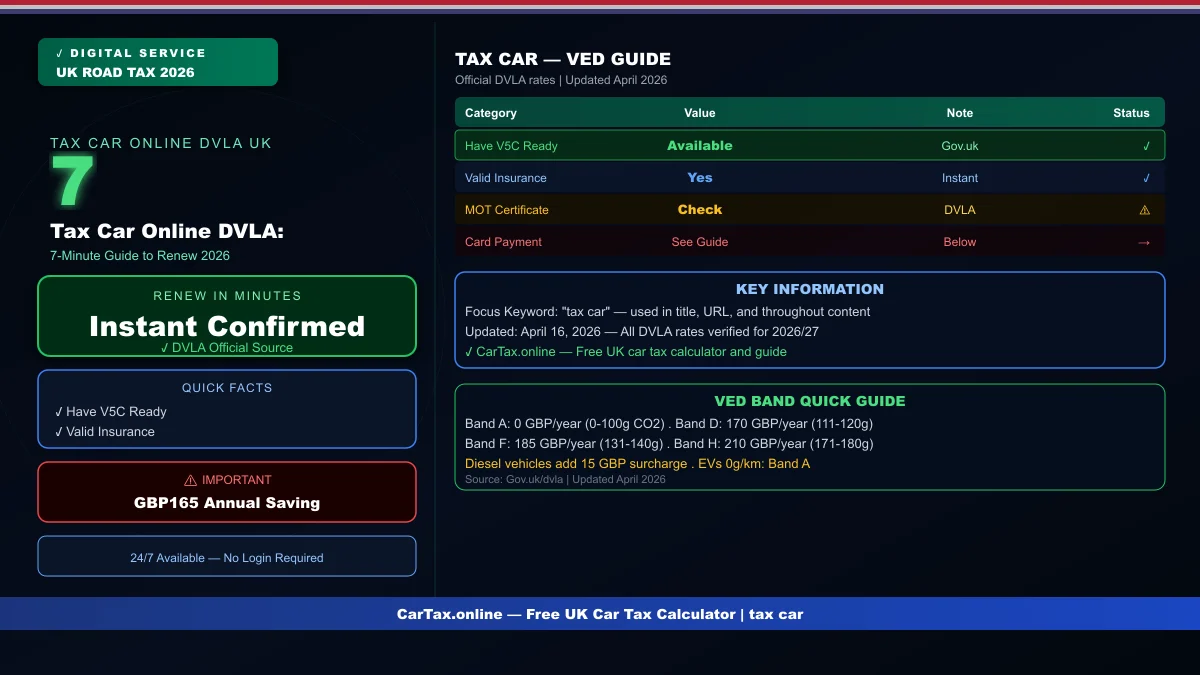
April 16, 2026 in the United Kingdom — you can tax car online DVLA in just 7 minutes, from anywhere, using a debit card or credit card. The digital service has processed millions of renewals since the tax disc was abolished in 2014, and it's now the primary method for UK drivers to maintain their road tax. This guide covers everything you need to tax car online DVLA successfully, including common errors and how to fix them.
Before You Tax Car Online DVLA: Requirements
To tax car online DVLA, you need four things: your vehicle registration mark, your V5C registration certificate with the 11-digit reference number, a valid MOT certificate (vehicles over three years old), and a payment method (debit card, credit card, or direct debit setup). Your vehicle must also appear as insured in the Motor Insurance Database — the DVLA checks this automatically against MID records. If your insurance policy has just started, allow 24-48 hours for the MID to update before attempting to tax, otherwise the system will reject your application. Ensure your MOT is current before starting — the system will not proceed without a valid MOT certificate, and booking an MOT can take 1-2 weeks at popular garages during busy periods.
Tax Car Online DVLA: Step-by-Step Process
Navigate to Gov.uk/tax-vehicle and click 'Start now'. Enter your vehicle registration mark when prompted, exactly as shown on your number plate. Input your 11-digit V5C reference number from your log book. Confirm the vehicle details shown match your records — if something looks wrong, stop and contact DVLA before proceeding. Select your payment frequency: annual payment at the standard rate (best value), 12-month direct debit at a 5% surcharge, or for some vehicles, a six-month direct debit option. Enter your card details on the secure DVLA payment page. Receive immediate confirmation screen and email receipt. Your vehicle's tax status updates in the DVLA database within minutes of successful payment — no waiting, no postal delays.
Tax Car Online DVLA: Payment Options Compared
Annual payment is the most cost-effective way to tax car online DVLA. A standard £165 annual road tax costs exactly £165 paid once per year. The 12-month direct debit option spreads this to 12 monthly payments of approximately £14.44, totaling £173.25 — a 5% surcharge for the convenience of spreading costs. The direct debit option suits tight monthly budgets but costs £8.25 more per year. Some vehicle types qualify for a six-month direct debit arrangement, costing roughly double the annual rate divided by two, which carries no surcharge — check if your vehicle category qualifies. Direct debit also provides automatic renewal without manual action each year, eliminating the risk of accidental expiry between renewal periods. Related: How to Tax Car Online UK | Tax Car Online UK DVLA 2026 | Renew Car Tax UK Online | Car Tax Check UK.
Troubleshooting Tax Car Online DVLA Errors
The most common tax car online DVLA error is 'Vehicle not found' — usually caused by entering the registration mark incorrectly. Double-check your number plate matches exactly, including any spaces or dashes. Another common error is MOT validation failure — this means your MOT certificate hasn't been recorded in the DVLA system yet, even though you have a valid paper certificate. Wait 24-48 hours after passing your MOT for the record to update, or contact your MOT test centre to verify the submission. Insurance database failures require contacting your insurance provider to ensure the policy is registered with the Motor Insurance Database. Payment failures often relate to card security settings — call your bank to authorize the DVLA transaction if your card is declined for an online government payment.
What Happens After You Tax Car Online DVLA
Once you successfully tax car online DVLA, your vehicle immediately shows as 'Taxed' in the DVLA database. ANPR cameras across the UK can verify your status instantly — no physical document required. You receive an email confirmation with your tax expiry date and payment reference number — save this for your records. The previous owner's tax, if applicable, ends at the point of your successful renewal, ensuring no overlap or dispute about coverage periods. If you paid an annual amount, there's nothing more to do until next year — set a calendar reminder for 2-4 weeks before your expiry date. If you set up direct debit, the DVLA handles the next payment automatically, sending an email reminder before collection.
Frequently Asked Questions
How long does it take to tax a car online through DVLA?
The DVLA online tax process takes approximately 7 minutes from starting the application to receiving confirmation. Your vehicle's tax status updates in the DVLA database immediately upon successful payment.
What do I need to tax my car online with DVLA?
You need your vehicle registration mark, V5C log book reference number, a valid MOT certificate (vehicles over 3 years), and a debit or credit card for payment.
Can I tax my car online without my V5C?
You can use the new keeper supplement slip reference number temporarily if your full V5C hasn't arrived yet after purchasing a vehicle. The slip comes with your purchase documentation and works for initial online tax applications.
Is it cheaper to pay annual or monthly for road tax?
Annual payment is cheaper — paying monthly via DVLA direct debit carries a 5% surcharge. Annual road tax of £165 costs £165 in one payment but £173.25 spread over 12 months.
Why is my MOT showing as invalid when I try to tax online?
The MOT record may not have updated in the DVLA system yet — wait 24-48 hours after passing your MOT test. If the problem persists, contact your MOT test centre to verify they submitted the result to the DVLA.
Official Resources: GOV.UK Check Vehicle Tax | GOV.UK Vehicle Tax | DVLA Online | MOT Check
Frequently Asked Questions
Q: How much is car tax (VED) in the UK 2026?
Car tax rates in the UK depend on your vehicle's CO2 emissions and list price. Standard rates start from £190 per year for petrol and diesel cars, with zero-rated VED for EVs. First-year rates vary from £0 to £2,605 depending on emissions. Additional premiums apply for vehicles over £40,000.
Q: How do I check if my car is taxed online?
You can check your vehicle's tax status for free on the Gov.uk website at gov.uk/check-vehicle-tax. You'll need your vehicle's registration number (number plate). You can also check via the Motor Insurance Database to verify road tax and insurance status simultaneously.
Q: Can I get a refund on car tax if I sell my vehicle?
Yes — if you sell or scrap your vehicle, you can claim a refund on any full months of remaining road tax. Contact DVLA with the V11 reminder letter or apply online at gov.uk. Refunds are usually processed within 4-6 weeks.
Q: Is road tax refund available when transferring ownership?
No — road tax does not transfer with the vehicle. When you sell your car, the tax is automatically cancelled and any remaining months are refunded to you by DVLA. The new owner must tax the vehicle immediately. As a buyer, always verify the vehicle's tax status before purchasing.
Q: What is the luxury car tax threshold in the UK 2026?
The additional rate for vehicles over £40,000 (list price) adds £410 per year to standard VED rates for years 2-6 of registration. This surcharge brings the annual cost for high-emission vehicles over £40,000 to around £600-690 per year. Pure EVs under £40,000 pay zero VED.