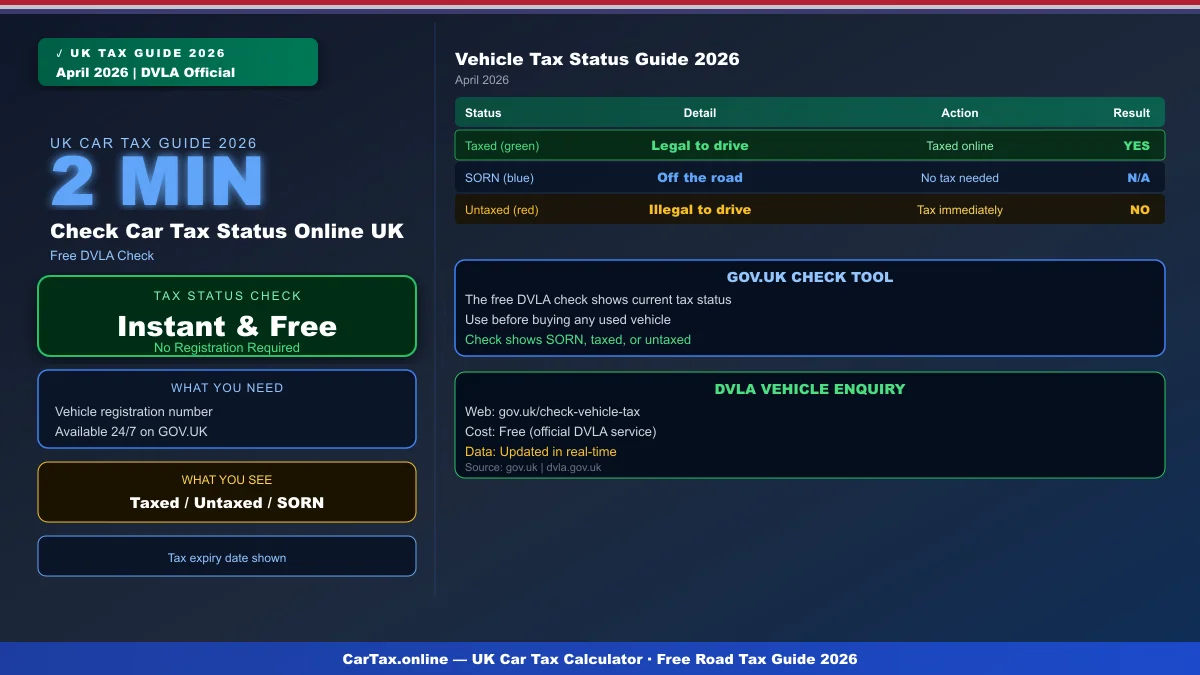
April 12, 2026 in United Kingdom — Checking whether your car is taxed takes less than two minutes online and costs nothing. The DVLA's free vehicle enquiry service lets you verify the tax status of any vehicle registered in the UK using just the registration number. Whether you're buying a used car, checking your own vehicle, or verifying a fleet, here's everything you need to know about checking car tax status online in 2026.
How to Check Car Tax Status Online — Step by Step
The fastest way to check car tax status is through the official GOV.UK vehicle enquiry service. This free tool queries the DVLA's database directly and shows you the current tax status of any vehicle.
To check vehicle tax status online:
- Go to GOV.UK check vehicle tax
- Enter the vehicle's registration number (number plate)
- View the current tax status, expiry date, and vehicle details
The enquiry shows whether the vehicle is currently taxed, when the current tax period expires, the vehicle's make, model, and colour, the CO2 emissions figure used for tax banding, and whether a SORN (Statutory Off Road Notification) is in place.
What the Check Shows You
The GOV.UK vehicle enquiry returns a comprehensive set of information about the vehicle:
| Information | What It Means |
|---|---|
| Tax status | Taxed, untaxed, or SORN declared |
| Tax expiry date | When the current tax period ends |
| Vehicle make & model | Confirms correct vehicle |
| Colour | Additional verification |
| CO2 emissions | For tax band determination |
| Engine size | Additional vehicle detail |
| Fuel type | Petrol, diesel, electric, hybrid |
| Year of manufacture | Age-related tax eligibility |
Buying a Used Car? Check Before You Buy
If you're purchasing a used vehicle, checking the tax status before completing the sale is essential. An untaxed vehicle cannot be driven on public roads, and the new keeper must tax it immediately — before moving the car.
A vehicle showing as untaxed on the DVLA check means the previous keeper's tax has expired. You cannot simply take delivery and tax it later — driving an untaxed car even a short distance is illegal and results in a £80 fine (reduced to £40 if paid within 28 days).
What If Your Car Shows as Untaxed?
If you check your vehicle and it shows as untaxed, the most likely reason is that the Direct Debit payment failed. The DVLA attempts to collect road tax via Direct Debit on the renewal date. If the bank rejects the payment, the vehicle immediately shows as untaxed.
Steps to resolve:
- Log in to your GOV.UK account and check your Direct Debit details
- Update your bank details if needed and set up a new payment
- Tax the vehicle immediately using the 21-digit reference from your V5C
- If the tax expired recently, you may be able to claim a pro-rata refund
SORN vs Taxed — What's the Difference?
A SORN (Statutory Off Road Notification) declares that a vehicle is not being used on public roads. If a vehicle shows as SORN, it means the keeper has formally declared it off the road and it cannot be driven or parked on a public road.
The difference:
- Taxed: Vehicle can be driven and parked on any road
- SORN: Vehicle must be off the road — garage, private land, or driveway only
- Untaxed: Error or oversight — vehicle is not legally roadworthy without tax
Note that declaring a SORN is free and can be done online at GOV.UK. If you're keeping the car off the road temporarily, a SORN is the correct step.
Mobile Check — Tax Status on Your Phone
The GOV.UK vehicle enquiry service works on mobile browsers and is fully responsive. You can check a vehicle's tax status from any smartphone or tablet. This is particularly useful when viewing a potential purchase — check the seller's vehicle before committing.
Book an HPI check or DVLA check at a private service if you need additional information such as whether the vehicle has outstanding finance, has been written off, or has a mileage discrepancy. The DVLA check itself is free through the official government portal.
Frequently Asked Questions
Is the GOV.UK vehicle tax check free?
Yes. The official DVLA vehicle enquiry service is completely free. You only need the vehicle registration number. Be wary of third-party websites that charge for the same information.
Can I check if someone else's car is taxed?
Yes. The GOV.UK check uses only the registration number, which is publicly visible on the vehicle. There is no privacy restriction on this information. This is useful when buying a used car from a private seller.
What does it mean if a car shows as SORN?
A SORN means the registered keeper has declared the vehicle off the road. It cannot be driven or parked on a public road. If you're buying a SORN vehicle, budget for immediate road tax costs before driving it.
My car shows as untaxed but I paid — what do I do?
Check your bank statements for the DVLA Direct Debit payment. If it failed, tax the vehicle immediately online using your V5C reference. Contact the DVLA if payment was taken but the system shows untaxed — this can happen with processing delays.
Conclusion
Checking car tax status online takes under two minutes via the free GOV.UK vehicle enquiry service. Always check before buying a used car, and verify your own vehicle's status regularly to avoid penalties. Use our UK car tax calculator to estimate your annual road tax costs based on the CO2 emissions shown on your check.
Frequently Asked Questions
Q: How much is car tax (VED) in the UK 2026?
Car tax rates in the UK depend on your vehicle's CO2 emissions and list price. Standard rates start from £190 per year for petrol and diesel cars, with zero-rated VED for EVs. First-year rates vary from £0 to £2,605 depending on emissions. Additional premiums apply for vehicles over £40,000.
Q: How do I check if my car is taxed online?
You can check your vehicle's tax status for free on the Gov.uk website at gov.uk/check-vehicle-tax. You'll need your vehicle's registration number (number plate). You can also check via the Motor Insurance Database to verify road tax and insurance status simultaneously.
Q: Can I get a refund on car tax if I sell my vehicle?
Yes — if you sell or scrap your vehicle, you can claim a refund on any full months of remaining road tax. Contact DVLA with the V11 reminder letter or apply online at gov.uk. Refunds are usually processed within 4-6 weeks.
Q: Is road tax refund available when transferring ownership?
No — road tax does not transfer with the vehicle. When you sell your car, the tax is automatically cancelled and any remaining months are refunded to you by DVLA. The new owner must tax the vehicle immediately. As a buyer, always verify the vehicle's tax status before purchasing.
Q: What is the luxury car tax threshold in the UK 2026?
The additional rate for vehicles over £40,000 (list price) adds £410 per year to standard VED rates for years 2-6 of registration. This surcharge brings the annual cost for high-emission vehicles over £40,000 to around £600-690 per year. Pure EVs under £40,000 pay zero VED.