Online car buying has grown rapidly, with platforms offering delivery to your door. Understanding how road tax works after an online purchase ensures you can legally drive your new car home.
Tax Before You Drive
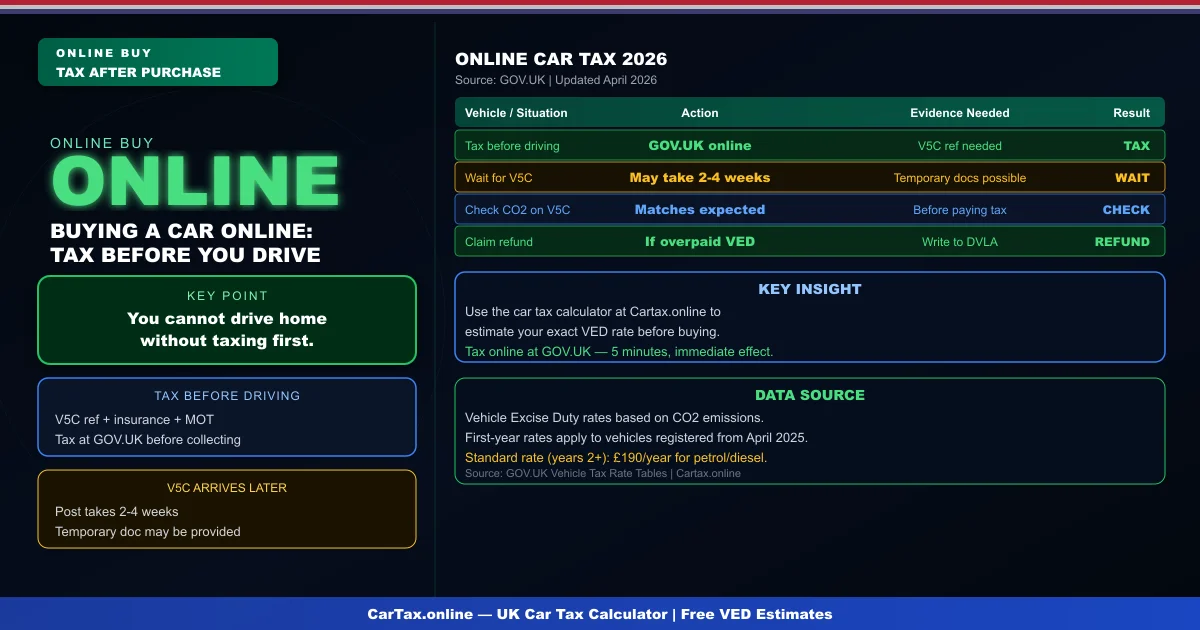
Regardless of where you buy the car — dealer, private seller, or online platform — you cannot drive it on public roads without valid road tax. If the seller had the car delivered, it should be transported on a transporter or with trade plates. If you are collecting it yourself, you must tax it before driving home. Tax online at GOV.UK using the V5C reference number before you set off.
What You Need to Tax After Online Purchase
To tax a car bought online, you need the V5C registration certificate in your name (which may arrive by post days after delivery), your insurance policy, and a valid MOT if the car is over three years old. Online platforms sometimes deliver the car without the V5C — in this case, wait for the V5C to arrive before attempting to tax. Do not drive the vehicle without tax, even if you have insurance and MOT.
When the V5C Arrives
After completing an online purchase, the V5C will be posted to you — DVLA processes keeper change notifications within a few days, and the new V5C can take 2-4 weeks to arrive. Some online dealers provide a temporary registration document allowing you to tax the vehicle immediately. If you need to tax urgently before the V5C arrives, contact the DVLA directly with your purchase documentation. Related: Buying a Car Online and Road Tax UK 2026 | Car Tax Check UK | How to Tax Car Online UK | Renew Car Tax UK Online.
What the Seller Should Have Done
A reputable online car buying platform should notify DVLA of the sale on your behalf and send you the V5C or guide you through the process. Check whether the platform handles the DVLA notification before purchase. Private sellers should give you the green slip (V5C/2) at the point of sale, which you use to tax immediately. If neither of these happened, you may need to contact the seller or the platform's customer service.
Checking the Vehicle Before Taxing
Before taxing, check the V5C details against what you know about the car: confirm the VIN on the V5C matches the vehicle, the CO2 figure is correct for the model, and the fuel type matches. If anything looks wrong, query it before paying tax at the incorrect rate. Use the car tax calculator at Cartax.online to verify the expected VED cost using the CO2 on the V5C.
Refunds After Online Purchase
If you buy a car online and the V5C shows a different CO2 or fuel type than expected, you may be paying the wrong VED rate. Tax the car first to avoid penalties, then write to DVLA with a Certificate of Conformity to correct the record and claim a refund of overpaid VED. The correction process takes time, so tax at the lower estimate if unsure — you can claim back any overpayment later.
Frequently Asked Questions
Q: How much is car tax (VED) in the UK 2026?
Car tax rates in the UK depend on your vehicle's CO2 emissions and list price. Standard rates start from £190 per year for petrol and diesel cars, with zero-rated VED for EVs. First-year rates vary from £0 to £2,605 depending on emissions. Additional premiums apply for vehicles over £40,000.
Q: How do I check if my car is taxed online?
You can check your vehicle's tax status for free on the Gov.uk website at gov.uk/check-vehicle-tax. You'll need your vehicle's registration number (number plate). You can also check via the Motor Insurance Database to verify road tax and insurance status simultaneously.
Q: Can I get a refund on car tax if I sell my vehicle?
Yes — if you sell or scrap your vehicle, you can claim a refund on any full months of remaining road tax. Contact DVLA with the V11 reminder letter or apply online at gov.uk. Refunds are usually processed within 4-6 weeks.
Q: Is road tax refund available when transferring ownership?
No — road tax does not transfer with the vehicle. When you sell your car, the tax is automatically cancelled and any remaining months are refunded to you by DVLA. The new owner must tax the vehicle immediately. As a buyer, always verify the vehicle's tax status before purchasing.
Q: What is the luxury car tax threshold in the UK 2026?
The additional rate for vehicles over £40,000 (list price) adds £410 per year to standard VED rates for years 2-6 of registration. This surcharge brings the annual cost for high-emission vehicles over £40,000 to around £600-690 per year. Pure EVs under £40,000 pay zero VED.