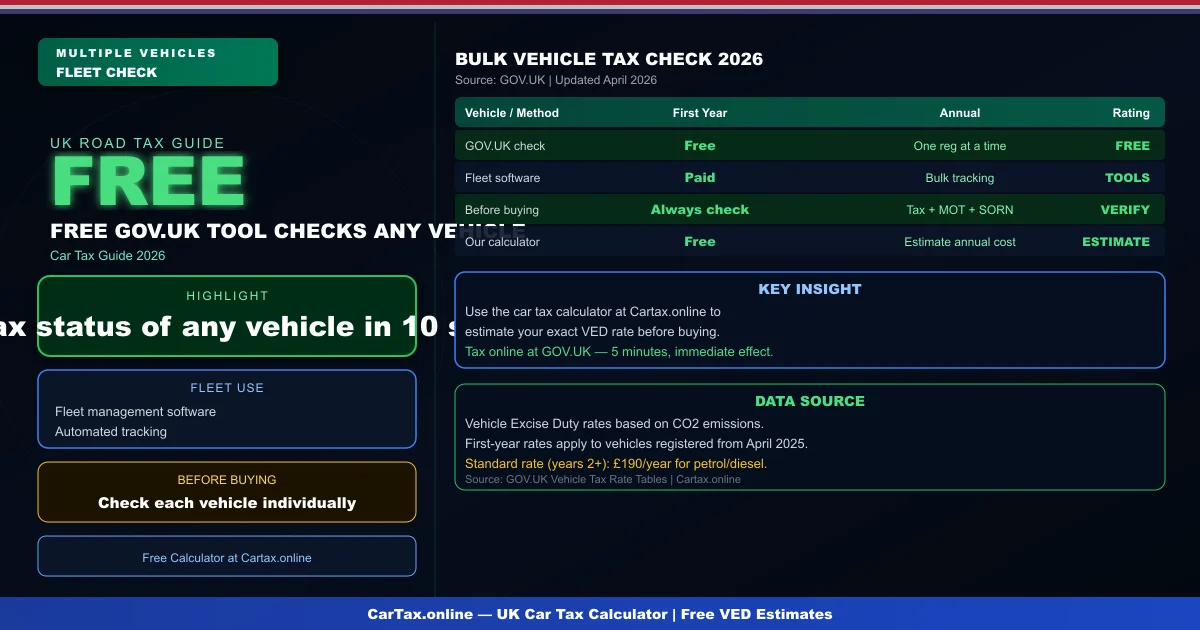
Bulk car tax check UK — verifying the road tax status of multiple vehicles is essential for fleet managers, car dealers, and anyone buying multiple used cars. Here is how to check multiple vehicles efficiently in 2026.
GOV.UK Individual Vehicle Checks
The free GOV.UK check vehicle tax tool processes one vehicle registration at a time. Enter the registration number — the tool returns the tax status, MOT status, and expiry dates. For bulk checks, this process must be repeated for each vehicle individually.
Fleet Management Systems
Fleet management software can integrate with DVLA data to provide automated vehicle tax status monitoring. Fleet managers can track expiry dates, receive alerts before road tax expires, and manage renewal across all vehicles from a single dashboard. Most professional fleet management platforms include this as a standard feature.
Buying Multiple Used Cars: Tax Check
When purchasing a batch of used vehicles — from dealer stock, auction, or trade — always check each vehicle's tax status before completing the purchase. An untaxed vehicle requires immediate taxation before it can be driven. A SORN vehicle cannot be driven at all without first being taxed. Related: Bulk Car Tax Check UK 2026 | Car Tax Check by Number Plate Free — UK DVLA Guide | Check Car Tax Status UK — DVLA Official Method | Check Your Car Tax Status Online — Free DVLA Guide.
Using Our Car Tax Calculator for Estimates
Once you have verified that a vehicle is taxed and the tax is current, use our car tax calculator to estimate the annual road tax cost for the coming renewal period. This helps budget for ongoing fleet costs or compare the tax efficiency of different vehicles.
Conclusion
Bulk car tax check UK: individual checks at GOV.UK, fleet software for multiple vehicles. Always verify before buying used cars. GOV.UK vehicle check is free for any vehicle.
Vehicle Excise Duty (VED) rates in the UK are reviewed annually, typically in April with the new financial year. The DVLA administers all vehicle taxation and registration, and you can check your vehicle's current tax status for free at gov.uk/check-vehicle-tax using only your registration number. Rates are determined by the vehicle's CO2 emissions and list price at the time of first registration, with additional premiums applying for high-value vehicles.
Frequently Asked Questions
Q: How much is car tax (VED) in the UK 2026?
Car tax rates in the UK depend on your vehicle's CO2 emissions and list price. Standard rates start from £190 per year for petrol and diesel cars, with zero-rated VED for EVs. First-year rates vary from £0 to £2,605 depending on emissions. Additional premiums apply for vehicles over £40,000.
Q: How do I check if my car is taxed online?
You can check your vehicle's tax status for free on the Gov.uk website at gov.uk/check-vehicle-tax. You'll need your vehicle's registration number (number plate). You can also check via the Motor Insurance Database to verify road tax and insurance status simultaneously.
Q: Can I get a refund on car tax if I sell my vehicle?
Yes — if you sell or scrap your vehicle, you can claim a refund on any full months of remaining road tax. Contact DVLA with the V11 reminder letter or apply online at gov.uk. Refunds are usually processed within 4-6 weeks.
Q: Is road tax refund available when transferring ownership?
No — road tax does not transfer with the vehicle. When you sell your car, the tax is automatically cancelled and any remaining months are refunded to you by DVLA. The new owner must tax the vehicle immediately. As a buyer, always verify the vehicle's tax status before purchasing.
Q: What is the luxury car tax threshold in the UK 2026?
The additional rate for vehicles over £40,000 (list price) adds £410 per year to standard VED rates for years 2-6 of registration. This surcharge brings the annual cost for high-emission vehicles over £40,000 to around £600-690 per year. Pure EVs under £40,000 pay zero VED.